Programming circuit boards is the process of designing and writing code. And this code controls the functionality of a microcontroller or microprocessor embedded on a circuit board. You can use this code to perform tasks such as data processing, input/output control, and communication with other devices.
Programming circuit boards can be intimidating for beginners who are new to electronics or programming. However, with the right resources and approach, it can be an enjoyable and rewarding experience. Here are some key concepts that beginners should be familiar with:
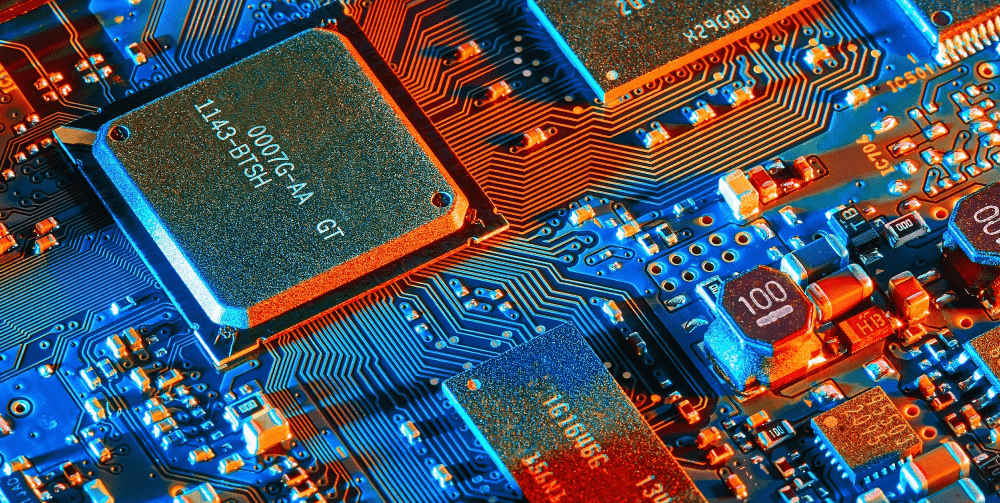
Microcontrollers and Microprocessors: Microcontrollers and microprocessors are small computer systems that are embedded on circuit boards. You can program them to perform a variety of tasks, including data processing and control of other electronic devices
Programming Languages: There are several programming languages that you can use to program circuit boards, including C, C++, Python, and Java. Each language has its own syntax and structure, and the choice of language. This depends on the complexity of the project, the performance requirements, and personal preferences.
Integrated Development Environments (IDEs): An IDE is a software tool that provides a platform for writing, testing, and debugging code. Most IDEs come with features like code highlighting, debugging tools, and project management tools. It makes everything easier for beginners to write and test their code.
Resources for Learning: There are many resources available for beginners who want to learn how to program circuit boards. Online tutorials, forums, and videos are great places to start. Additionally, there are many books available on the subject, which can provide a more comprehensive understanding of the topic.
In short, programming circuit boards is a great way to develop your electronics and programming skills. There are many resources available for beginners to learn the basics and get started. With practice and patience, you can create exciting and functional electronic projects that you can program to do anything.
Programming Circuit Boards for the Internet of Things (IoT)
The Internet of Things (IoT) is a network of physical objects that links to the internet. It allows them to exchange data and communicate with each other. These objects can be anything from home appliances to industrial machinery. And they are all interconnected through a web of sensors, software, and cloud services. The IoT has the potential to transform the way we live and work. It all starts with programming circuit boards.
In this section, we will explore the basics of programming circuit boards for the IoT. We will include the tools and technologies involved, the challenges and opportunities of IoT programming, and practical examples.
Tools and Technologies
To program circuit boards for the IoT, you will need a few essential tools and technologies, including:
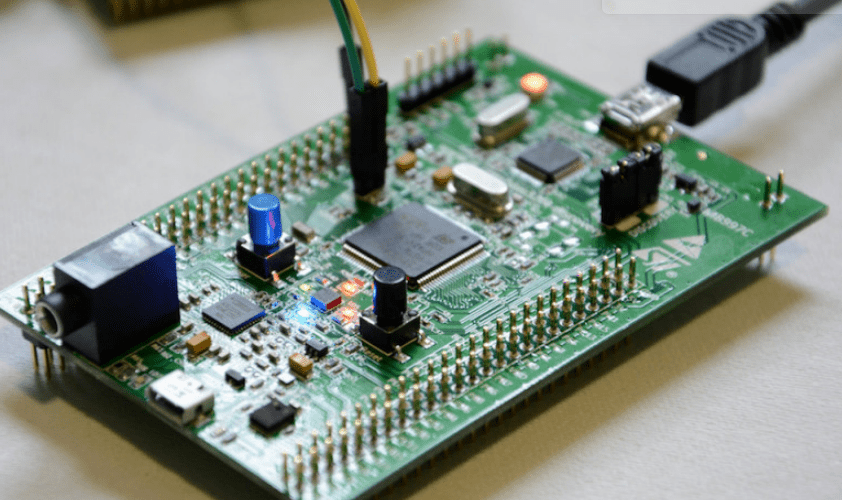
A microcontroller or microprocessor: This is the brain of the circuit board, and it controls the input/output (I/O) functions of the board.
A programming language: There are several programming languages that programmer can use for IoT programming, including C, C++, Python, and Java.
An integrated development environment (IDE): This is a software tool that provides a platform for writing, testing, and debugging code. Some popular IDEs for IoT programming include Arduino, Raspberry Pi, and Node-RED.
Communication protocols: IoT devices need to communicate with each other and with the cloud. There are several communication protocols that you can use for this purpose, including Wi-Fi, Bluetooth, ZigBee, and MQTT.
Cloud services: IoT devices often send data to the cloud for storage and processing. Engineers use cloud services like Amazon Web Services (AWS), Microsoft Azure, and Google Cloud Platform.
Challenges and Opportunities
Programming circuit boards for the IoT comes with its own set of challenges and opportunities. Some of the main challenges include:
- Security: IoT devices are vulnerable to cyber-attacks, and it is important to design and program them with security in mind.
- Power management: IoT devices often run on battery power. It is important to optimize their power consumption to extend their battery life.
- Data management: IoT devices generate a lot of data. It is important to manage this data effectively to extract insights and value from it.
On the other hand, programming circuit boards for the IoT also presents several opportunities, including:
- Automation: IoT devices can automate many tasks and processes, making them more efficient and cost-effective.
- Remote monitoring and control: You can monitor and control IoT devices remotely, allowing for real-time data collection and analysis.
- Predictive maintenance: You can program IoT devices to report maintenance issues before they become critical, reducing downtime and maintenance costs.
Practical Examples
There are many practical examples of IoT applications that involve programming circuit boards, including:
- Smart homes: Engineers use IoT devices to automate and control various aspects of a home, such as lighting, temperature, and security.
- Industrial IoT: You can use IoT devices to monitor and control industrial machinery, optimizing their performance and reducing downtime.
- Healthcare IoT: You can use IoT devices to monitor and track patients’ health data, providing real-time feedback and support.
- Smart cities: You can use IoT devices to monitor and manage various aspects of a city. This includes traffic, energy usage, and waste management.
Best Practices
To program circuit boards for the IoT effectively, it is important to follow some best practices, including.
- Design for scalability: Engineers must design and program IoT devices to scale easily. It is because the number of devices and the amount of data they generate can grow quickly.
- Prioritize security: programmer must design and program IoT devices with security in mind, to prevent cyber-attacks and data breaches.
- Optimize power consumption: IoT devices often run on battery power. It is important to optimize their power consumption to extend their battery life and reduce maintenance costs.
- Use open standards and protocols: IoT devices should use open standards and protocols to ensure interoperability and compatibility with other devices and systems.
- Test and debug rigorously: Engineers must check and debug IoT devices thoroughly to ensure their reliability and performance, especially in complex environments.
- Keep data privacy in mind: Programmers should design IoT devices to protect users’ data privacy, especially in sensitive applications such as healthcare and finance.
- Plan for upgrades and maintenance: Programmers should design IoT devices to allow for upgrades and maintenance. This is because of the fact that the technology and the requirements of the application may change over time.
Programming circuit boards for the Internet of Things (IoT) is a complex and challenging task. However, it also presents exciting opportunities for innovation and transformation. By following best practices and using the right tools and technologies, developers can create IoT devices that are secure. These should be scalable, and efficient, and that can bring value to a wide range of industries and applications.
Future Trends in Programming Circuit Boards
Circuit boards are an essential component of modern electronics, and their programming is becoming increasingly sophisticated. As technology advances, the future of programming circuit boards promises to be exciting and full of possibilities. This section explores some of the most promising trends in programming circuit boards. Moreover, it covers the ways in which they are likely to shape the future of technology.
The Rise of Quantum Computing
Quantum computing is one of the most promising technologies for the future of computing. It is likely to have a significant impact on the programming of circuit boards. Quantum computing operates on the principles of quantum mechanics. It has the potential to revolutionize the way we process information.
A significant advantage of quantum computing is its ability to perform complex calculations much faster than traditional computing. This means that quantum computing will be able to handle massive amounts of data and perform complex operations that are currently impossible with classical computers.
The programming of circuit boards for quantum computing will require a new approach, with different algorithms and programming languages. This will require a new generation of programmers with specialized skills and knowledge. It is likely to lead to significant advancements in areas such as cryptography and machine learning.
Artificial Intelligence and Machine Learning
Artificial intelligence (AI) and machine learning (ML) are already having a significant impact on many industries. This trend is likely to continue in the future. AI and ML are here to develop intelligent systems that can learn from data. And it can make decisions based on that data.
The programming of circuit boards will require new algorithms and programming languages that are correct for machine learning. These algorithms will need to handle massive amounts of data and be able to learn from that data in real-time.
The use of AI and ML in circuit board programming will lead to significant advancements in different areas. Such areas are robotics, automation, and predictive maintenance. Intelligent systems will monitor themselves and make adjustments to optimize performance, leading to increased efficiency and reduced downtime.
Augmented Reality
Augmented reality (AR) is a technology that overlays digital information onto the physical world, creating a blended reality experience. AR has the potential to revolutionize the way we interact with the world around us. It is likely to have a significant impact on the programming of circuit boards.
The programming of circuit boards for AR applications will require specialized skills, including 3D modeling and real-time rendering. AR applications will need to be correct for performance, with high frame rates to provide a seamless user experience.
The use of AR here will lead to significant advancements in areas such as education, training, and entertainment. AR applications will be able to provide immersive experiences that simulate real-world scenarios, leading to increased engagement and retention.
Internet of Things (IoT)
The Internet of Things is a network of connected devices that can communicate with each other and the internet. The IoT is already having a significant impact on many industries.
IoT will lead to significant advancements in areas such as smart homes, transportation, and healthcare. Connected devices will be able to communicate with each other and the internet. It will lead to increased efficiency and improved quality of life.

Edge Computing
Edge computing is a distributed computing paradigm that brings computation and data storage closer to the location where we need it. It is helpful in providing real-time processing and analysis of data from IoT devices, enabling faster decision-making.
The programming of circuit boards for edge computing will require specialized skills, including low-level programming and data management. Edge computing applications should be correct for performance and reliability to ensure that they can operate in challenging environments.
Its use will lead to significant advancements in areas such as industrial automation, autonomous vehicles, and smart cities. Edge computing will enable devices to make decisions in real-time, leading to increased efficiency and improved safety.
Conclusion
The Internet of Things (IoT) has revolutionized the way we live, work, and interact with technology. IoT has paved the way for the development of smart systems that enhance productivity, efficiency, and user experience. Programming circuit boards for IoT is a complex task that requires a combination of hardware and software skills. It involves designing and developing firmware, which is the software that runs on the microcontroller of the circuit board. The programming language for IoT varies depending on the microcontroller used, with popular choices including C, Python, and Java.
Additionally, its main advantage for IoT is its ability to create customized solutions for specific requirements. In the agriculture industry, IoT devices can monitor soil moisture, temperature, and other environmental factors. As the IoT ecosystem continues to grow, there are several future trends in programming circuit boards. So, one of these trends is scalability, which involves designing IoT solutions that can easily scale up or down. This is particularly important in industries such as manufacturing. Another important trend is interoperability, which involves ensuring that IoT devices can communicate with each other. This will enable the development of more advanced IoT solutions that can seamlessly integrate with other systems.
Finally, Security is another critical trend in programming circuit boards for IoT. As more devices become connected to the internet, the risk of cyber-attacks and data breaches increases. Therefore, it is essential to develop secure IoT solutions that can protect against unauthorized access and data theft.
Comments are closed